My Projects
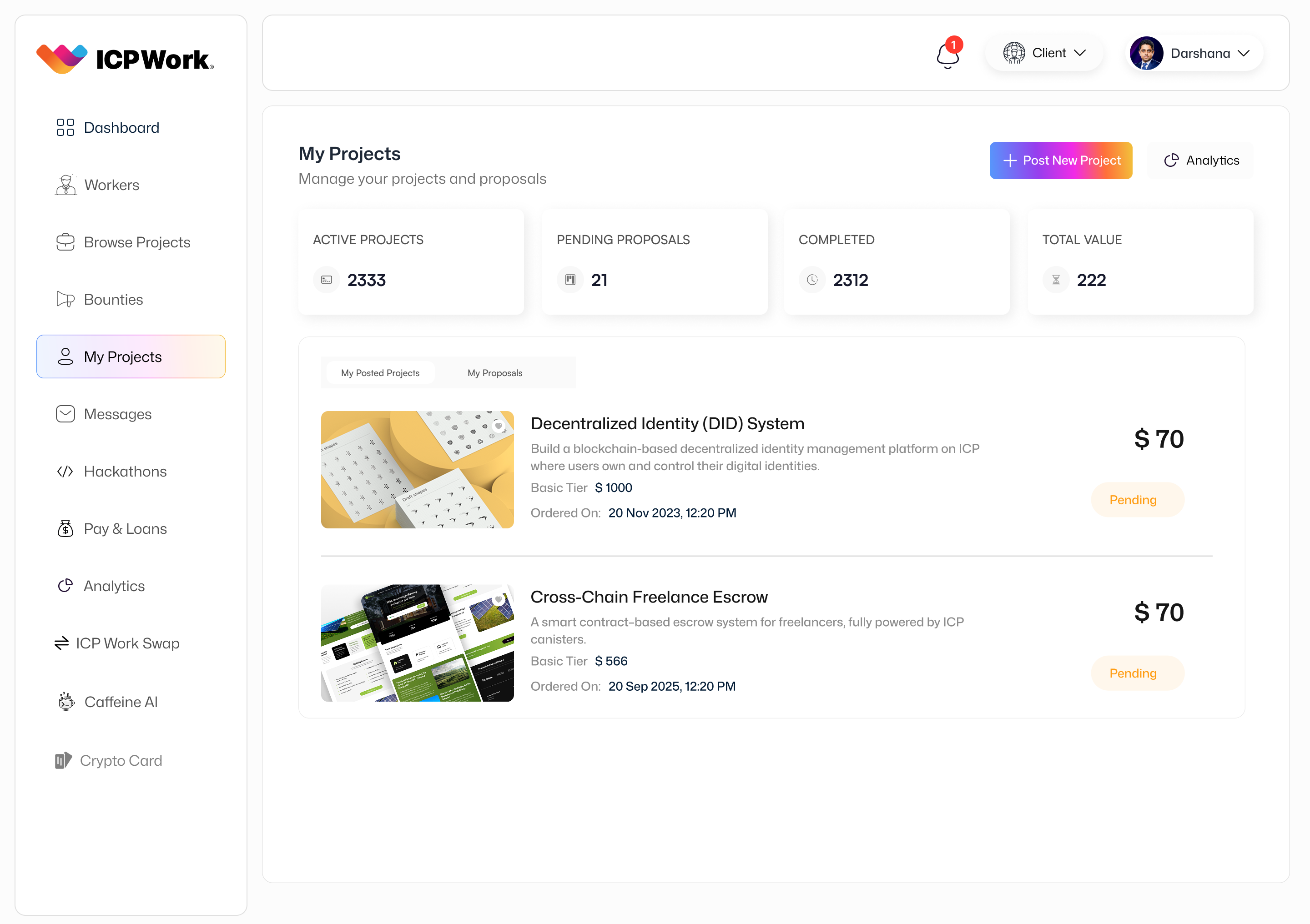
The 'My Projects' section on the ICPWork platform serves as the central management hub for freelancers to oversee all their active, pending, and completed work engagements. This dedicated area provides a comprehensive, organized view of their project portfolio, enabling efficient tracking, communication, and task management. It is designed to empower freelancers with the tools necessary to maintain control over their workload, meet deadlines, and ensure successful project delivery within the decentralized ecosystem.
Strategic Importance
The strategic importance of the 'My Projects' section is critical for freelancer productivity and client satisfaction. For freelancers, it acts as their personal project management dashboard, allowing them to monitor progress, manage tasks, and communicate effectively with clients. This centralized overview helps prevent missed deadlines, facilitates timely updates, and ensures that all project-related information is readily accessible. For clients, the efficiency and organization demonstrated by freelancers using this feature contribute to a smoother collaboration experience and higher project success rates. Ultimately, a well-managed 'My Projects' section enhances the overall professional reputation of the freelancer and strengthens the trust within the ICPWork community.
User Interface (UI) and Key Features
The 'My Projects' UI is designed for clarity, organization, and ease of use, reflecting the platform's commitment to a superior user experience. Key features typically include:
Project Listing and Status
All projects are listed with clear indicators of their current status (e.g., 'Active', 'Pending Approval', 'Completed', 'Disputed'). Each project entry provides essential information at a glance, such as:
- Project Title: A clear identifier for the project.
- Client Name: The name of the client for whom the project is being done.
- Due Date/Deadline: Important dates for project completion or milestones.
- Progress Bar: A visual representation of project completion percentage.
- Earnings/Budget: The agreed-upon compensation for the project.
- Quick Actions: Buttons or links for common actions like 'View Details', 'Message Client', 'Submit Deliverable'.
Detailed Project View
Clicking on a project listing navigates to a detailed project page, offering a granular view of all aspects of that specific engagement. This includes:
- Full Project Description: The complete scope of work and requirements.
- Milestones and Tasks: A breakdown of the project into smaller, manageable tasks with individual deadlines and statuses. Freelancers can often update task statuses (e.g., 'To Do', 'In Progress', 'Completed').
- Communication Log: A dedicated section for all messages and discussions related to the project, ensuring context is maintained.
- File Sharing: A repository for all shared documents, assets, and deliverables related to the project.
- Payment History: A transparent record of payments made and pending for the project, linked to the escrow system.
- Client Feedback/Reviews: Once completed, this section displays client feedback and ratings.
Task Management Tools
Integrated task management functionalities allow freelancers to:
- Create and Assign Tasks: Break down projects into sub-tasks and assign them to themselves or team members (if applicable).
- Set Deadlines: Assign specific due dates to individual tasks.
- Update Status: Mark tasks as complete or update their progress.
- Add Notes: Attach relevant notes or instructions to tasks.
Notifications and Reminders
The system provides automated notifications and reminders for upcoming deadlines, new client messages, or changes in project status, helping freelancers stay on top of their commitments.
Technical Implementation
The 'My Projects' section relies on a robust interplay of several ICP canisters. The Project Management Canister is central, storing all project details, task lists, milestones, and status updates. It interacts closely with the User Management Canister to link projects to specific freelancer and client profiles. The Messaging Canister integrates communication logs directly into project views, while the Payment Escrow Canister provides real-time updates on project funding and payment releases. The decentralized nature of these canisters ensures that project data is secure, transparent, and immutable, providing a reliable record of all work performed and agreements made.
Conclusion
The 'My Projects' section is an indispensable tool for freelancers on the ICPWork platform, offering a comprehensive and intuitive environment for managing their professional engagements. By centralizing project information, streamlining task management, and facilitating effective communication, it empowers freelancers to deliver high-quality work efficiently and build a strong reputation within the decentralized economy. This feature underscores ICPWork's commitment to providing a full-suite solution that supports freelancers throughout their entire project lifecycle.